WordPress SEO Automation – Because Life's Too Short for Manual Optimization


Automated SEO for WordPress is changing how agencies handle client optimization. Instead of spending hours crafting meta tags and updating sitemaps manually, smart plugins now handle these tasks automatically - generating titles, descriptions, schema markup, and technical SEO elements without human intervention.
Quick Answer: Top Automated WordPress SEO Tasks
One agency owner recently shared: "I love how it points out orphaned content and suggests linking to specific articles." This captures exactly why automation matters - it handles the grunt work while surfacing strategic opportunities.
The numbers tell the story. Popular SEO plugins serve millions of active sites with high ratings, while lightweight alternatives maintain excellent performance scores. Modern automation processes over 100,000 installations as "the fastest full-featured SEO" solutions.
But here's what most agencies miss: automation isn't about replacing strategy. It's about eliminating the time-consuming tasks that prevent you from focusing on what actually moves the needle for clients.
I'm Hansjan Kamerling, and I've spent years helping SaaS platforms and AI startups scale their optimization workflows. Through my work with automated SEO for WordPress implementations across 40,000+ user platforms, I've seen how the right automation setup can transform agency efficiency overnight.
I used to wake up at 3 AM worrying about whether I'd forgotten to update meta descriptions on a client's product pages. Sound familiar? That anxiety disappears when your WordPress setup automatically generates optimized titles and descriptions from your content.
Modern automated SEO plugins analyze your post content, extract key phrases, and create compelling meta tags that follow Google's best practices. No more scrambling to hit character limits or wondering if your descriptions are compelling enough.
By the end of this guide, you'll know exactly how to set up automated SEO for WordPress that works while you sleep. I'll walk you through choosing the right plugin, implementing core automation features, and scaling these systems for agency workflows. Plus, I'll share the advanced AI integrations that are changing how we approach WordPress optimization.
Automated SEO for WordPress isn’t just a convenience feature—it completely changes the economics of running an agency. When a $25-a-month plugin can execute tasks that normally swallow dozens of billable hours, you open up new capacity for strategy, content and client acquisition.
Time savings are obvious. Consistency is the hidden superstar: robots never skip a meta description because it’s 11 p.m. on a Friday. And because the setup is largely point-and-click, even junior team members can deploy enterprise-grade optimization in minutes.
A recent time study on a mid-size client site showed the following manual hours:
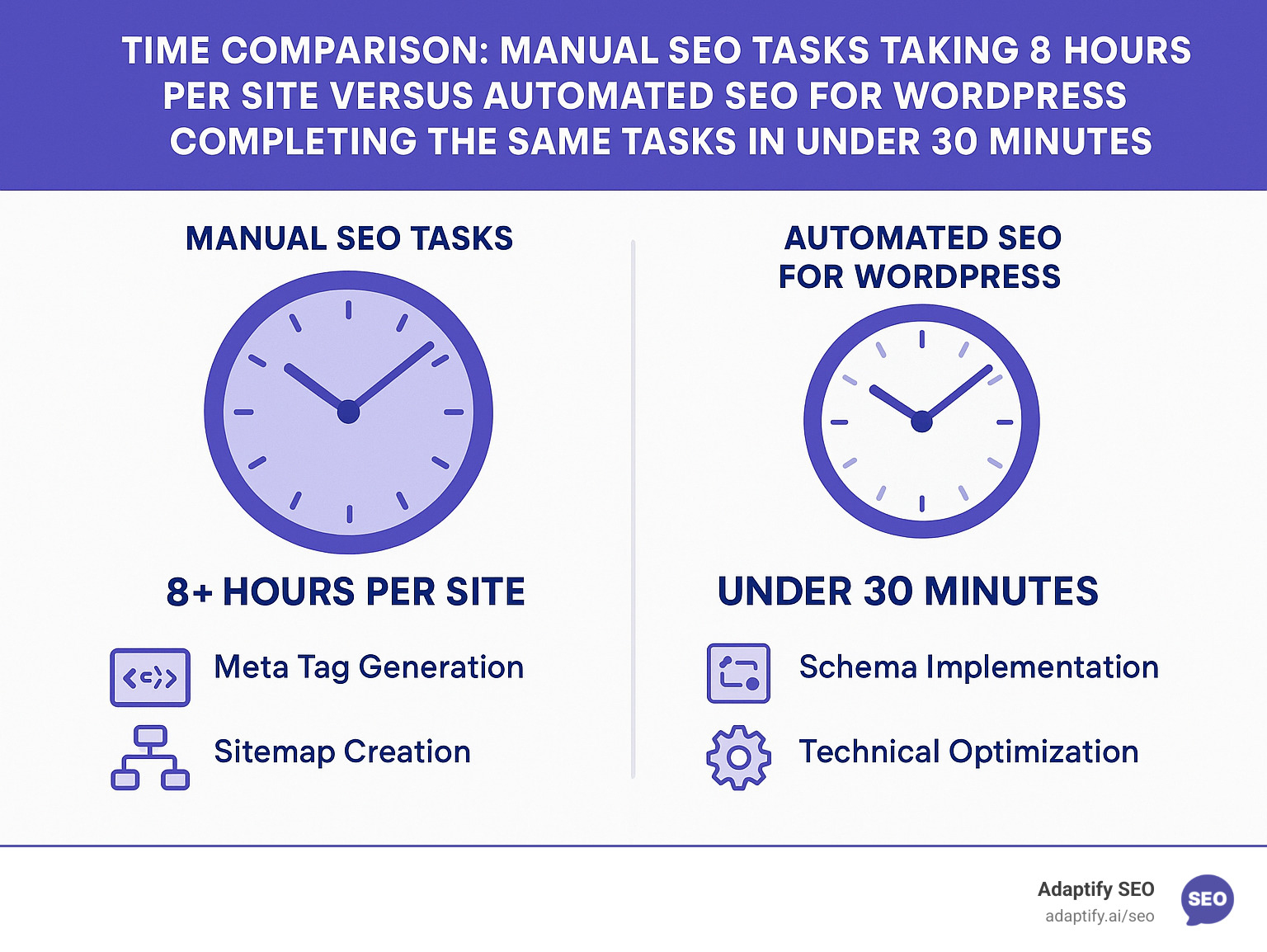
That’s 9–13 hours of low-leverage work—per site. With automation, the same fundamentals run in the background, freeing those hours for revenue-generating activities.
More plugins ≠ better SEO. Sites running 15 separate helpers usually suffer 200–500 ms load penalties. Smart all-in-one solutions such as The SEO Framework or Slim SEO replace that pile-up with one lean codebase, often shaving milliseconds off the baseline. Faster pages, fewer conflicts, better rankings—no brainer.
The magic of automated SEO for WordPress happens behind the scenes while you sleep. Your plugin works through a checklist of technical tasks that would normally take hours to complete manually. Let me show you exactly what's running on autopilot once you set things up properly.
Think of it like having a dedicated SEO assistant who never takes breaks. While you're focused on strategy and client relationships, your automation handles the repetitive work that keeps search engines happy.
Gone are the days of staring at blank meta description fields, wondering what to write. Smart plugins analyze your content and create compelling titles and descriptions automatically.
Here's how the best systems think through this process:
For titles, they follow proven patterns. Your homepage gets 'Site title – Site description' while blog posts become 'Page title – Site title'. Category pages use 'Category name – Site title'. Simple, consistent, and effective.
For descriptions, the automation gets more creative. It pulls from your post excerpt first, then grabs the opening 160 characters of your content if no excerpt exists. The result? Descriptions that actually represent your content instead of generic placeholder text.
Quality automation plugins do this beautifully by working with WordPress core functions instead of fighting them. They leverage the built-in theme support for title tags, which means faster loading and fewer compatibility issues down the road.
The social media integration happens automatically too. Your Open Graph tags inherit from meta tags, while Twitter Card data pulls from Open Graph. Your featured image becomes the social share image without any extra setup.
XML sitemaps used to be a monthly headache. You'd generate them, upload them, submit them to Google, then forget to update them when you published new content. Automation fixes this completely.
Modern plugins create intelligent sitemaps that update in real-time. When you hit "publish" on a new blog post, your sitemap updates instantly and pings search engines about the change.
But here's the smart part - quality automated systems are selective. They don't dump every single page into your sitemap. Instead, they include published posts and pages while automatically excluding noindexed content, empty categories, and other pages that don't help searchers.
As one plugin developer put it perfectly: "Not every page should be in the sitemap; focus on usability and content rather than exhaustive listing." Your automated sitemap lives at domain.com/sitemap.xml and stays fresh without you thinking about it.
The Search Console integration means Google gets notified immediately when your sitemap changes. No more logging into Search Console to manually submit updated sitemaps.
This is where automation really shows its power. Structured data used to require hours of coding and technical expertise. Now your plugin generates JSON-LD markup automatically based on your content type.
Blog posts get Article schema with publication dates, author information, and content summaries. Business pages receive Organization schema with contact details and location data. E-commerce sites get Product schema with prices, reviews, and availability.
The sophisticated systems go further by creating connections between different schema types. They build a knowledge graph that helps search engines understand how your content relates to each other.
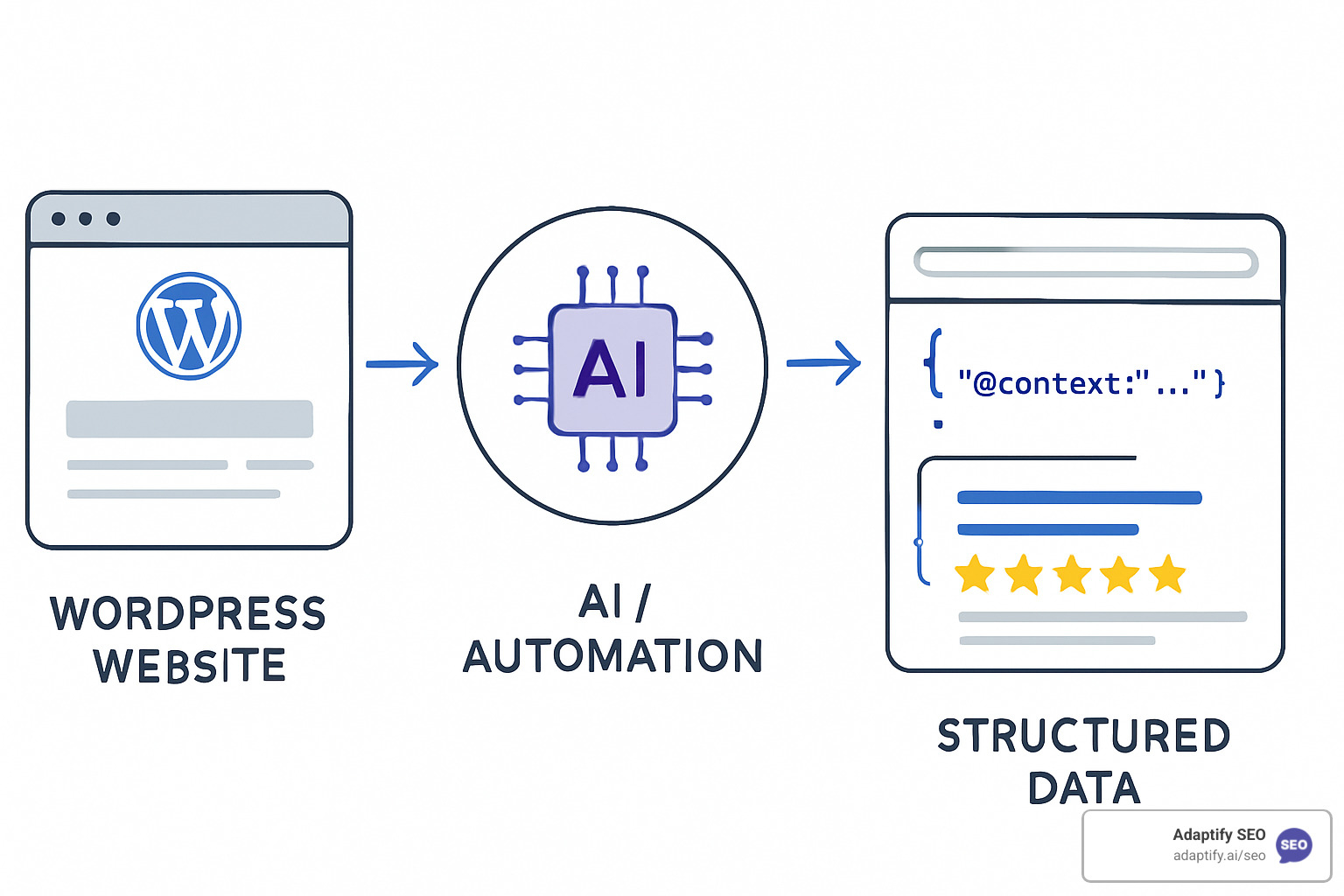
This structured data appears in your page source as clean JSON-LD code, following Google's preferred format. The payoff? Better chances of earning rich results like featured snippets, review stars, and improved search listings that make your content stand out.
The best part is watching your rich results appear in search without writing a single line of code. Your automation handles the technical implementation while you enjoy the traffic boost.
Picking an automated SEO for WordPress plugin is like hiring a team-mate: you need reliability, speed and just enough flexibility.
The market splits into two clear camps.
Plugins such as Slim SEO and The SEO Framework accept a “decisions over options” philosophy. Activate, and they instantly auto-generate meta tags, XML sitemaps, schema and social tags while adding virtually zero bloat to page speed. Color-coded dashboards flag issues, so you intervene only when it matters.
Need granular control or built-in education? Rank Math, AIOSEO and Yoast layer AI suggestions, redirect managers and content scoring on top of solid automation. Recent releases have accepted AI-generated titles, descriptions and internal-link prompts, letting power users fine-tune without abandoning autopilot.
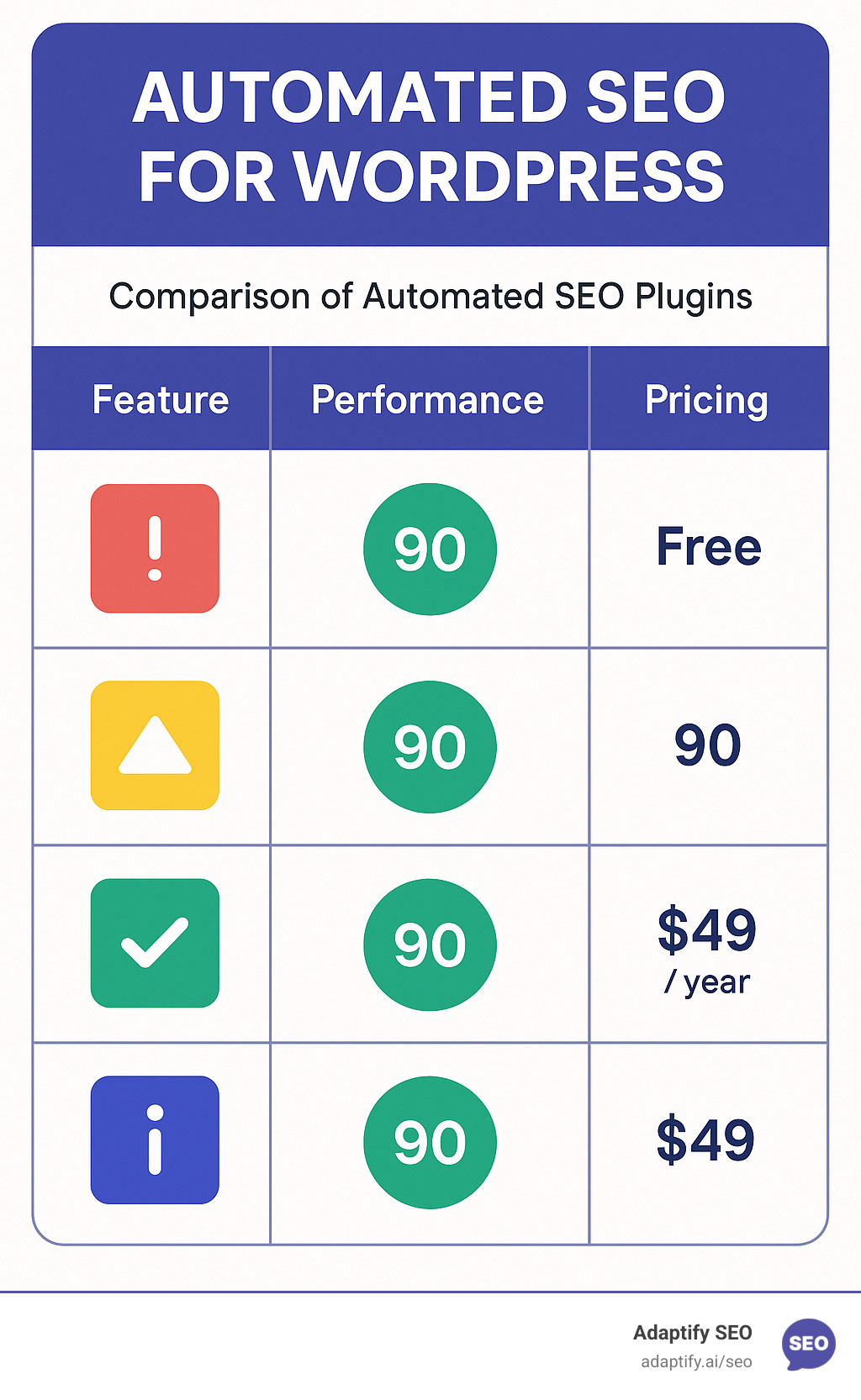
The rule of thumb: manage dozens of similar client sites? Go lightweight. Need classroom-style guidance or niche features like advanced WooCommerce schema? Choose a powerhouse—then run it in automation mode so it still feels set-and-forget.
Setting up automated SEO for WordPress is simpler than most people think. After walking hundreds of agencies through this process, I've found that the biggest hurdle isn't technical complexity - it's overthinking the setup.
The truth is, modern automation plugins are designed to work immediately after installation. You don't need to spend hours tweaking settings or configuring complex rules. In fact, the best automated systems work better when you let them handle the heavy lifting from day one.
Your plugin choice shapes everything else, so start here. For agencies managing multiple client sites, lightweight options eliminate configuration headaches. Content-heavy publishers benefit from AI-powered features. E-commerce sites should consider plugins with strong WooCommerce integration.
Once you've chosen your plugin, installation takes under two minutes. Download from the WordPress repository or upload the plugin files directly. Here's what makes automation special: most plugins start working immediately after activation, with zero configuration required.
Feature-rich plugins include setup wizards that feel more like conversations than technical configurations. These 2-3 minute processes identify your site type, connect social profiles, verify Search Console access, and configure automation preferences based on your answers.
Switching from another plugin? Built-in migration tools handle the transition seamlessly. Quality plugins offer comprehensive importers, transferring data from other major plugins without losing your existing optimization work.
Search Console connection open ups the most powerful automation features. Once connected, your plugin can automatically submit sitemaps, integrate performance data, and monitor crawl errors. This connection transforms your plugin from a basic optimizer into an intelligent SEO assistant.
Content automation configuration is where the magic happens. Enable automatic generation for meta titles and descriptions, schema markup, image alt text, and social sharing tags. These settings apply to all future content automatically, eliminating manual optimization tasks.
Monitoring setup keeps you informed without overwhelming you. Configure notifications for crawl errors, broken internal links, missing meta descriptions, and schema validation issues. Smart plugins only alert you when human intervention actually improves results.
Here's what I've learned after optimizing thousands of pages: automation handles 90% of your SEO tasks perfectly, but knowing when to intervene separates good agencies from great ones.
High-value landing pages often need custom messaging that reflects your unique value proposition. Automation might generate technically perfect meta descriptions, but they won't capture the emotional triggers that convert visitors into customers.
Brand-specific terminology sometimes confuses AI systems. If your industry uses specialized language or your brand has unique positioning, manual descriptions often outperform automated ones.
Local SEO scenarios require geographic targeting that general automation can't provide. A dentist in Portland needs different optimization than one in Phoenix, even if their services are identical.
Technical products or services often need specialized descriptions that automation can't create effectively. Complex B2B solutions, medical procedures, or technical services benefit from human-crafted descriptions.
Most modern plugins make overriding simple and intuitive. Look for the "Search Engine Optimization" meta box in your post editor, where you can customize auto-generated elements while keeping automation active for everything else.
The key insight here is strategic intervention. Let automation handle the bulk work across your entire site, then focus your manual effort on the 10% of pages that drive the most business value. This approach scales beautifully - whether you're managing five sites or fifty.
The real magic begins when automated SEO for WordPress talks to the rest of your stack.
One 12-language store cut 20+ manual hours per month after switching to this setup.
Tools like Rank Math Content AI or AIOSEO’s ChatGPT integration now suggest keywords, headings and internal links while you type. Agencies report entire sites refreshed for roughly $25 in token costs—versus thousands in traditional labour.
At Adaptify, we push this further: our engine analyses competitors, generates gap-filling articles, and launches PR outreach automatically. Strategy, writing and link building all roll out while your team focuses on client relationships.
I get these questions constantly from agency owners who are considering automated SEO for WordPress. Let me address the biggest concerns that keep people up at night.
Here's the truth: it depends entirely on which plugin you choose and how smart the developers were about implementation. I've seen plugins that turn WordPress sites into sluggish monsters, and others that actually make sites faster.
The good news? Quality automated SEO for WordPress plugins like Slim SEO and The SEO Framework often improve performance by handling tasks more efficiently than WordPress core functions. They're built by developers who understand that speed matters for SEO.
Here's what I look for when testing plugins on client sites:
Page load time impact should be minimal - quality plugins add less than 50ms to your load time. Database queries matter too; efficient plugins minimize how often they ping your database. And file size is a dead giveaway - if a plugin is over 1MB, it's probably bloated with features you don't need.
The SEO Framework earned its reputation as "the fastest full-featured SEO plugin" through independent benchmarks. Meanwhile, Slim SEO users consistently rave about how lightweight it feels. The plugins to avoid? Anything that loads multiple external scripts or makes excessive API calls to third-party services.
Absolutely, and this is where good automation really shines. Every quality plugin gives you an escape hatch when you need manual control.
When you're editing any post or page, look for the "Search Engine Optimization" meta box. That's your override center where you can customize meta titles and descriptions, tweak schema markup details, change social sharing images, and adjust canonical URLs.
I tell my clients to follow the 90/10 rule: let automation handle 90% of your pages while manually optimizing the 10% that really matter. Those high-value landing pages, key product pages, and cornerstone content pieces deserve your personal attention. Everything else? Let the robots handle it while you focus on strategy.
The beauty is that overriding one element doesn't break the automation for others. You can write a custom meta description while still getting automated schema markup and XML sitemap updates.
This question reveals why choosing the right plugin matters so much. Google changes its algorithm hundreds of times per year, and your automated SEO for WordPress plugin needs to keep pace.
Reputable developers monitor Google's guidelines obsessively. The SEO Framework logged over 1,229 code changes in recent major updates alone. Yoast and Rank Math push monthly updates addressing algorithm shifts and new Google features.
Here's how I evaluate whether a plugin stays current: Regular updates should happen monthly or more frequently. Active support forums show the developers are engaged with user issues. Clear developer communication about Google changes builds confidence. And compatibility with latest WordPress versions is non-negotiable.
The secret sauce? Quality plugins focus on implementing Google's official best practices rather than trying to game the system. When you build on solid foundations instead of clever tricks, your SEO stays stable even when algorithms shift.
I've watched too many sites get penalized because their SEO plugin tried to exploit loopholes that Google eventually closed. Stick with plugins that play by the rules, and algorithm updates become opportunities rather than threats.
You’ve just seen how automated SEO for WordPress turns optimization from a 13-hour slog into a 30-minute setup. Lightweight plugins handle the basics, comprehensive suites add AI smarts, and Adaptify’s platform automates strategy itself.
Automation doesn’t replace expertise—it amplifies it. Let software handle the repetitive 90 %, then spend your reclaimed time on creativity and growth.
Ready to watch your sites optimize themselves?
Book a Demo and find how Adaptify’s automated engine can scale your agency faster than ever.

Master SEO monitoring with key metrics and tools to track rankings, technical health, and organic growth for continuous performance optimi...

The Best Online Keyword Monitoring Tools for Real-Time Alerts - Learn about online keyword monitoring tool
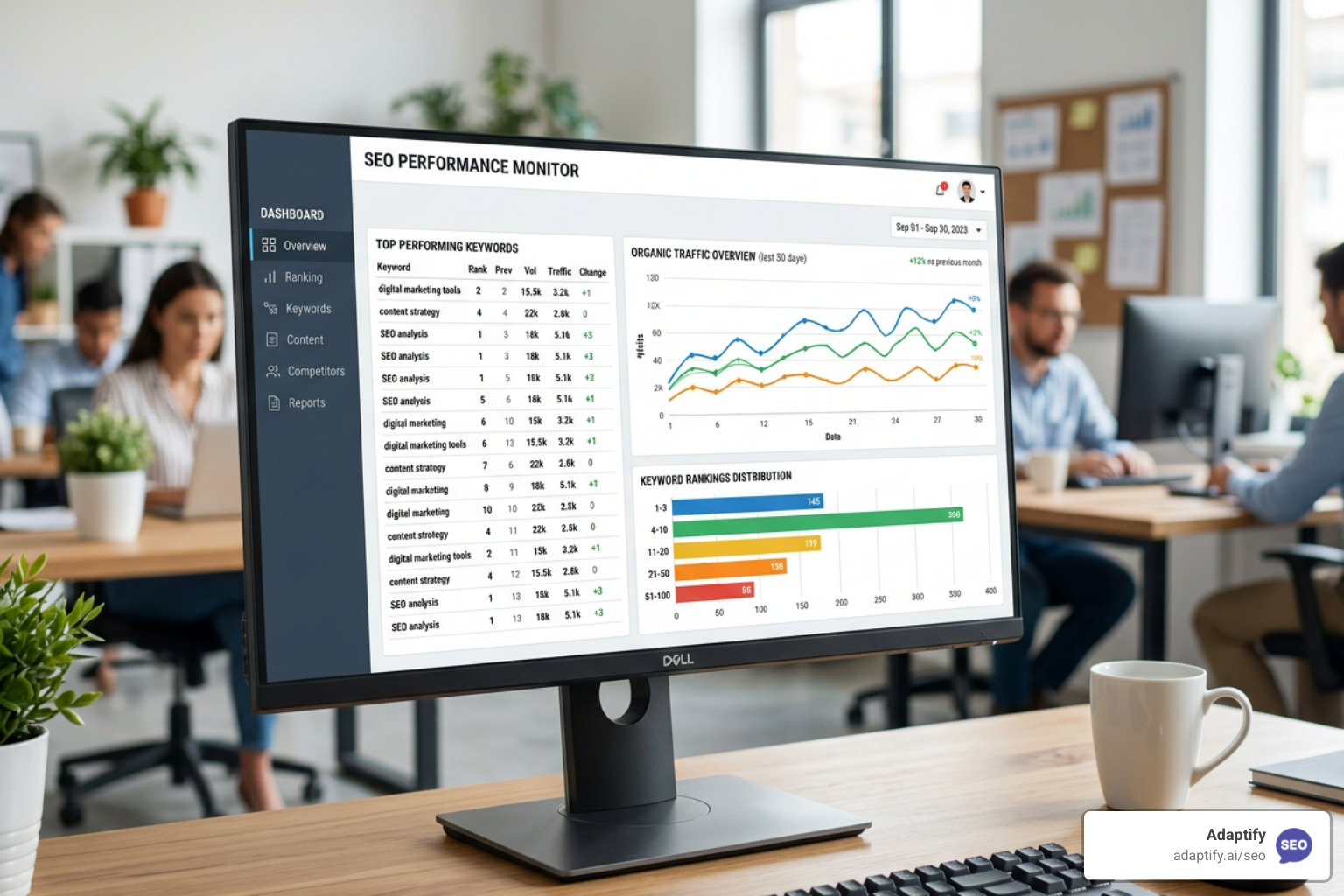
Stop Flying Blind with These Top SEO Monitor Tools - Learn about seo monitor tools
Join 1,000+ agencies already delivering SEO and AI visibility from a single platform without increasing their headcount.Join 1,000+ agencies already delivering SEO and AI visibility from a single platform without increasing their headcount.