From Magento to Shopify: An eCommerce SEO Migration Case Study




Every ecommerce migration SEO case study tells the same story at its core: a business moves to a new platform, something goes wrong with redirects or indexation, and organic traffic takes a hit that can take months — or years — to recover from.
Here is what the research consistently shows about migration outcomes:
| Outcome | What Happens Without SEO Oversight | What Happens With SEO Oversight |
|---|---|---|
| Organic traffic | Can drop to zero | Preserved or grown |
| Recovery time | 7+ months | As little as 2 months |
| Keyword rankings | Major losses | Maintained or improved |
| Conversion rate | Often unchanged | Can double (e.g., 1.8% to 3.4%) |
| Revenue | Significant drop | Can grow 88%+ post-migration |
The risks are real. A large ecommerce store with thousands of products can lose all of its organic traffic after a poorly planned domain migration — not immediately, but in a delayed drop that looks fine at first, then collapses weeks later. At the same time, when migrations are handled correctly, they become one of the biggest SEO growth opportunities a brand will ever get.
Consider what is actually at stake during a replatform:
The difference between a migration that destroys three years of SEO work and one that accelerates organic growth often comes down to one thing: structured preparation before a single line of code is moved.
This guide walks through exactly how to do that — from pre-migration auditing and redirect mapping to post-launch monitoring and traffic recovery.
I'm Luke Heinecke, Chief Revenue Officer at Adaptify, and over nine years in marketing and agency operations I've seen how a disorganized ecommerce migration SEO case study can become an agency's worst nightmare. I'll share the frameworks and real-world data that help agencies deliver migrations that protect — and grow — their clients' organic traffic.
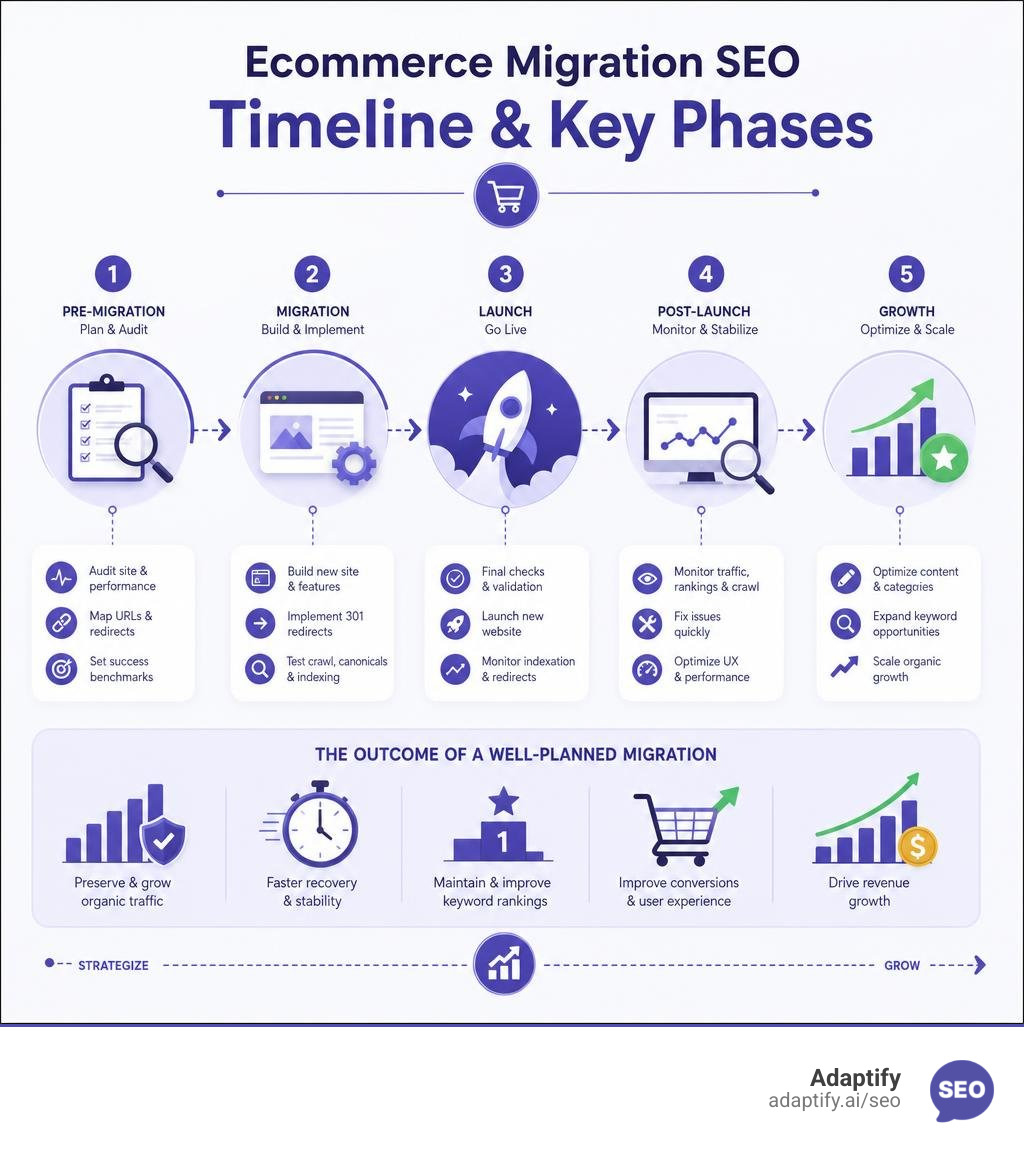
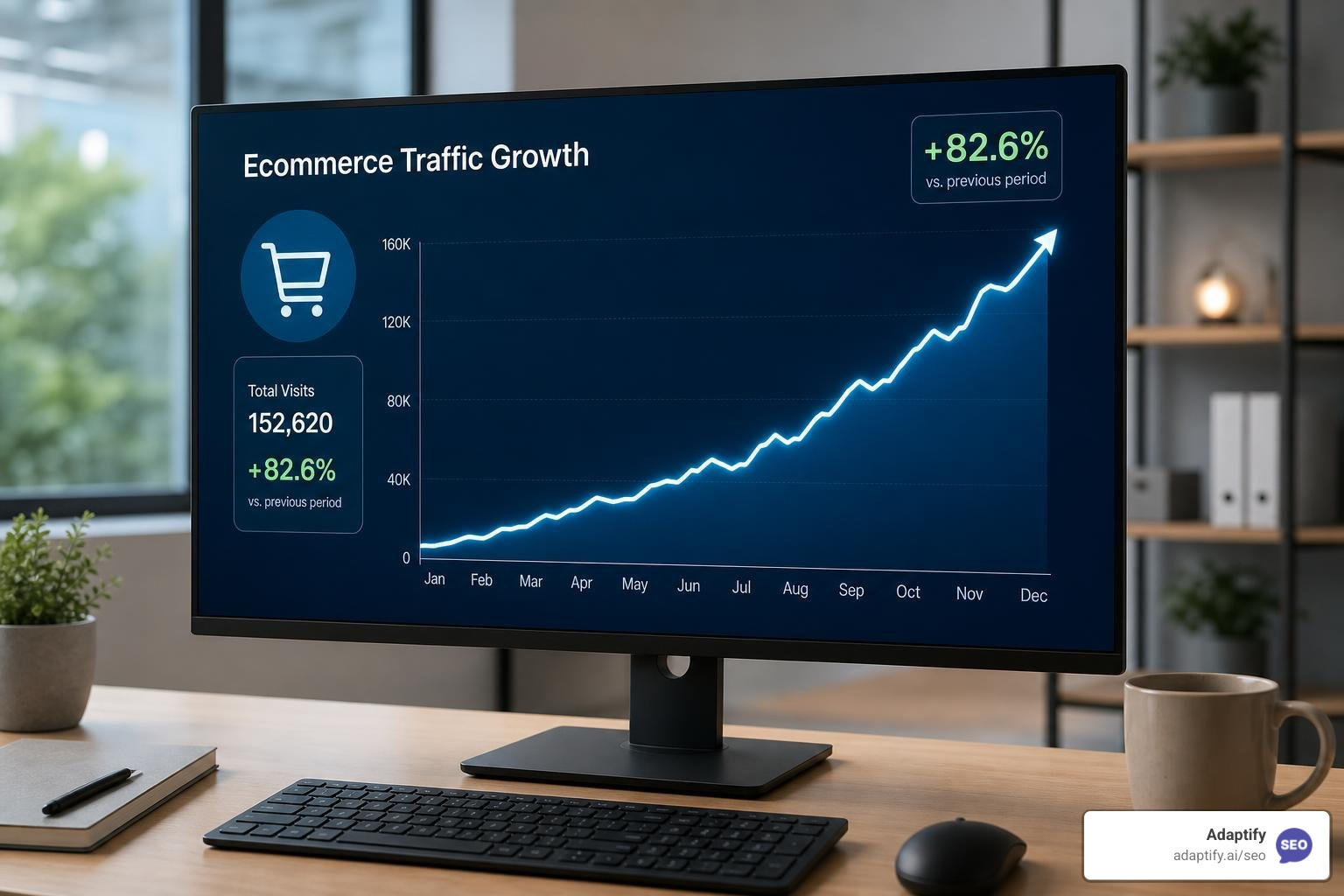
When an enterprise retailer makes the strategic decision to migrate, the primary goal is often to escape the high maintenance costs and technical bottlenecks of legacy systems. However, search engines do not automatically understand structural shifts.
If URLs are altered without a proper bridge, your search rankings will collapse. As highlighted in this SEO Site Migration Case Study for an E-Commerce Client, migrating a site with 250,000 URLs can actually result in a 50% increase in search visibility within three months—but only if you plan for the technical impact on crawl budget and authority transfer from day one.
Even massive brands have faced these stakes; when Walmart consolidated multiple product domains into a single unified domain, they managed to grow organic traffic by approximately 30% by treating domain authority as a single, concentrated asset.
The most dangerous migration pitfall is the "delayed drop" phenomenon. Immediately after migrating, traffic may look stable. However, as search engines slowly recrawl the site, hidden issues emerge:
To prevent these issues from derailing your launch, you must establish a clear roadmap before writing any migration code, as outlined in The Game Plan Building An Effective Search Optimization Strategy.
Migrating from Magento to Shopify is one of the most common replatforming paths, but it presents unique technical challenges. Magento offers infinite flexibility with URL structures, whereas Shopify enforces a rigid subfolder hierarchy (e.g., /products/ and /collections/). This means almost every single URL on your site will change during the migration.
Additionally, Shopify has a default limit of 100 variants per product. If you have a product with complex attributes (like a bathroom vanity with multiple sizes, finishes, and hardware options), you must use custom metafields or specialized development workarounds to avoid splitting a single product into multiple thin, duplicate pages.
As seen in this EzyDog USA: Magento to Shopify migration case study, addressing these structural differences while optimizing user experience can yield incredible business results—including doubling the site's conversion rate from 1.8% to 3.4%.

Before making any changes live, you must crawl your existing site to establish an absolute performance baseline. This baseline includes indexing status, current URL structures, XML sitemaps, robots.txt rules, and organic keyword rankings.
I always recommend conducting a thorough pre-migration audit on a secure staging environment. This is where you can catch and resolve technical errors before they ever reach search crawlers. For a detailed breakdown of how to automate these diagnostic checks, check out Unlock Your Sites Potential Automated Seo Analysis Explained.
For large-scale ecommerce sites, manual redirect mapping is a massive undertaking. If you are migrating an enterprise brand with high-volume datasets, you must treat redirect coverage as a core deliverable.
In the Enterprise Shopify Migration Case Study – Alegriashoeshop.com, the team successfully migrated over 1.4 million historical orders and 41,000 products by mapping legacy URLs to their new Shopify equivalents.
The rule of thumb here is simple: every legacy URL that has historical backlinks, organic traffic, or active rankings must be mapped on a one-to-one basis to its exact or closest relative matching page on the new site. Avoid lazy bulk redirects to the homepage, which search engines often treat as soft 404 errors, destroying your hard-earned domain authority.
A migration is a rare strategic window to clean up your site's architecture. Instead of migrating thousands of thin, auto-generated filter and tag pages that waste crawl budget, prune them.
For example, when optimizing a site's footprint, pruning over 200 thin, auto-generated tag pages out of 340 indexed pages can actually concentrate your link equity onto high-value collections. This allows you to focus on high-intent, non-branded keywords.
By leveraging automated systems to handle repetitive technical checks, you can free up valuable time to focus on strategic content restructuring, as explained in Beyond Manual What Is Seo Automation And How Can It Help You.
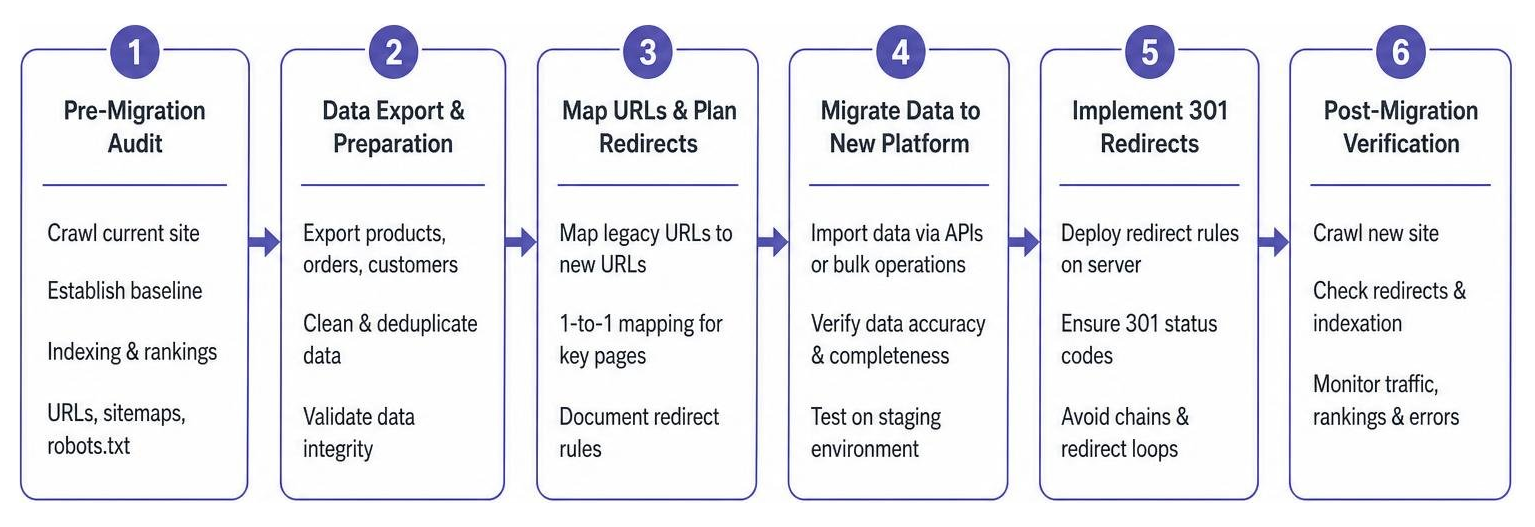
When the day comes to execute the migration, database integrity is everything. When moving massive catalogs, using advanced database queries and APIs—such as Shopify's GraphQL bulk operations—is critical to prevent rate-limit timeouts and data loss.
Furthermore, you must ensure your tracking systems are prepared. As detailed in the guide on SEO Support for an E-commerce Migration from WordPress to Shopify, implementing server-side tagging via Google Tag Manager during the migration process bypasses browser-level blocks, ensuring your post-migration traffic and conversion data remains 99.5% accurate.
To build a flawless 301 redirect map, follow this structured workflow:
/products/ and /collections/ formats.This precise mapping was the cornerstone of the Maya Deluxe | SEO Migration Case Study, where over 12,700 URLs were mapped to ensure that style- and color-specific collection pages kept their search engine rankings without interruption.
Never assume your on-page SEO elements will automatically copy over. You must audit your staging site to verify that meta titles, H1 tags, schema markup, and product descriptions are perfectly preserved.
In some cases, you can even use the migration to improve these elements. For instance, in this Ecommerce SEO Case Study: Shopify Migration Success, the strategy shifted from short-term product-level SEO to building long-term equity in persistent collection pages. This protected the brand's visibility even as they refreshed their seasonal product inventory.
The moment your new site goes live, the clock starts ticking. You must immediately run automated crawls to validate that your 301 redirects are working, sitemaps are submitted, and robots.txt files are not accidentally blocking search engines.
Continuous post-migration monitoring is essential to catch indexation anomalies, Core Web Vitals issues, and crawl errors before they impact your bottom line. To understand how to set up automated monitoring systems that track these post-launch metrics, refer to Beyond The Basics Everything You Need To Know About Seo Reporting Systems.
When executed with a rigorous, SEO-first framework, the results of a migration can be spectacular. Here is what real-world data from successful migrations demonstrates:
By utilizing modern, automated workflows, marketing agencies can easily scale these complex technical processes, ensuring every client migration is a growth driver rather than a risk, as discussed in The Future Is Now Mastering Automated Seo For Better Results.
With a flawless redirect map and pre-migration technical auditing, many sites achieve 100% traffic recovery within 2 months. However, if major technical errors occur or redirects are mismanaged, recovery can take 7 months or longer of continuous troubleshooting.
Magento offers total control over your hosting, database, and URL structures, but requires heavy developer resources. Shopify is a hosted SaaS platform that simplifies maintenance and content editing, but enforces rigid URL structures and a 100-variant limit that requires custom metafield configurations to manage.
Yes! A migration is the perfect opportunity to prune thin content, streamline your internal linking, consolidate duplicate pages, and split broad category pages into highly optimized, long-tail collection pages. This proactive restructuring can lead to massive organic growth rather than just traffic preservation.
Replatforming your ecommerce store does not have to be a high-risk gamble. By treating SEO as a core layer of your migration strategy—rather than a post-launch afterthought—you can protect your organic traffic, improve site speed, and position your brand for long-term growth.
For busy digital marketing agencies, managing these large-scale technical migrations manually is incredibly time-consuming. That is where Adaptify comes in. We offer automated SEO services that streamline strategy formulation, content creation, and link building, allowing your agency to scale efficiently without the heavy manual lift.
Ready to secure your next site migration and scale your agency's organic results? Scale your agency with Adaptify today.
Explore real SEO agency case studies that delivered revenue growth, lead generation, and organic traffic wins.

Discover seo split testing case studies that boost traffic & conversions. Learn success stories & tips for better SEO results today!
Learn how to use case studies for seo to boost visibility, attract new leads, and enhance storytelling for successful marketing.
Join 1,000+ agencies already delivering SEO and AI visibility from a single platform without increasing their headcount.Join 1,000+ agencies already delivering SEO and AI visibility from a single platform without increasing their headcount.